

Case study · Little LeagueMill Creek, Washington · Spring 2026
Mill Creek Little League
A full Little League — baseball and softball, T-ball to Majors — set up from one workbook, with a master schedule built around the league's fields.
9divisions
63teams
20fields
1workbook to set it up
The challenge
Before OneComm
- Nine divisions across baseball and softball, each with its own coaches, rules and practice needs.
- Field time shared across twenty fields, coordinated in spreadsheets and texts.
- Board questions — uniforms, umpires, concessions, safety — landing on whoever families happened to know.
The setup
How they got started
- 01Divisions, teams, staff, board, fields and the master schedule imported from the onboarding workbook.
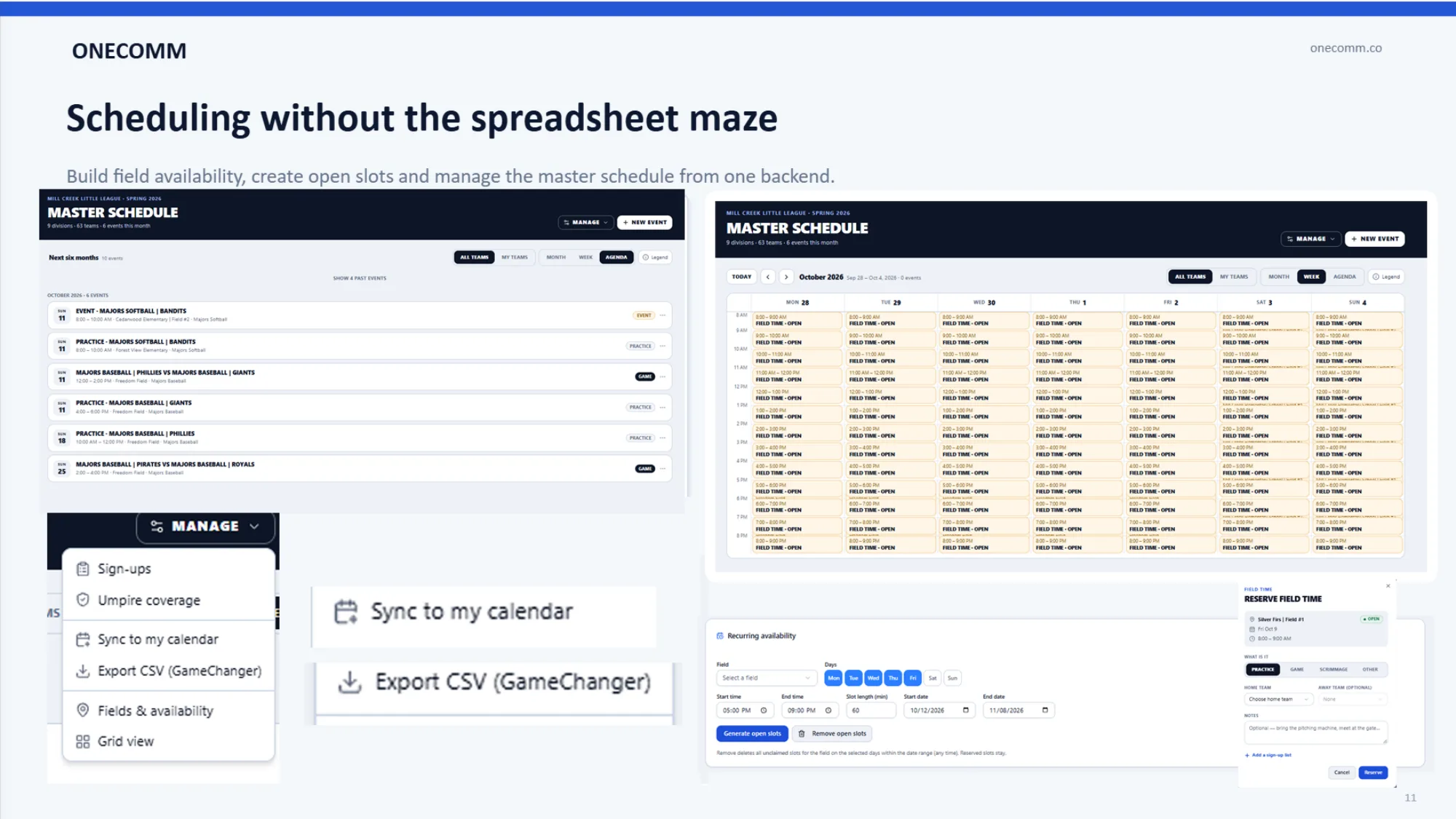
- 02Recurring field availability turned into open slots coaches can reserve for practice.
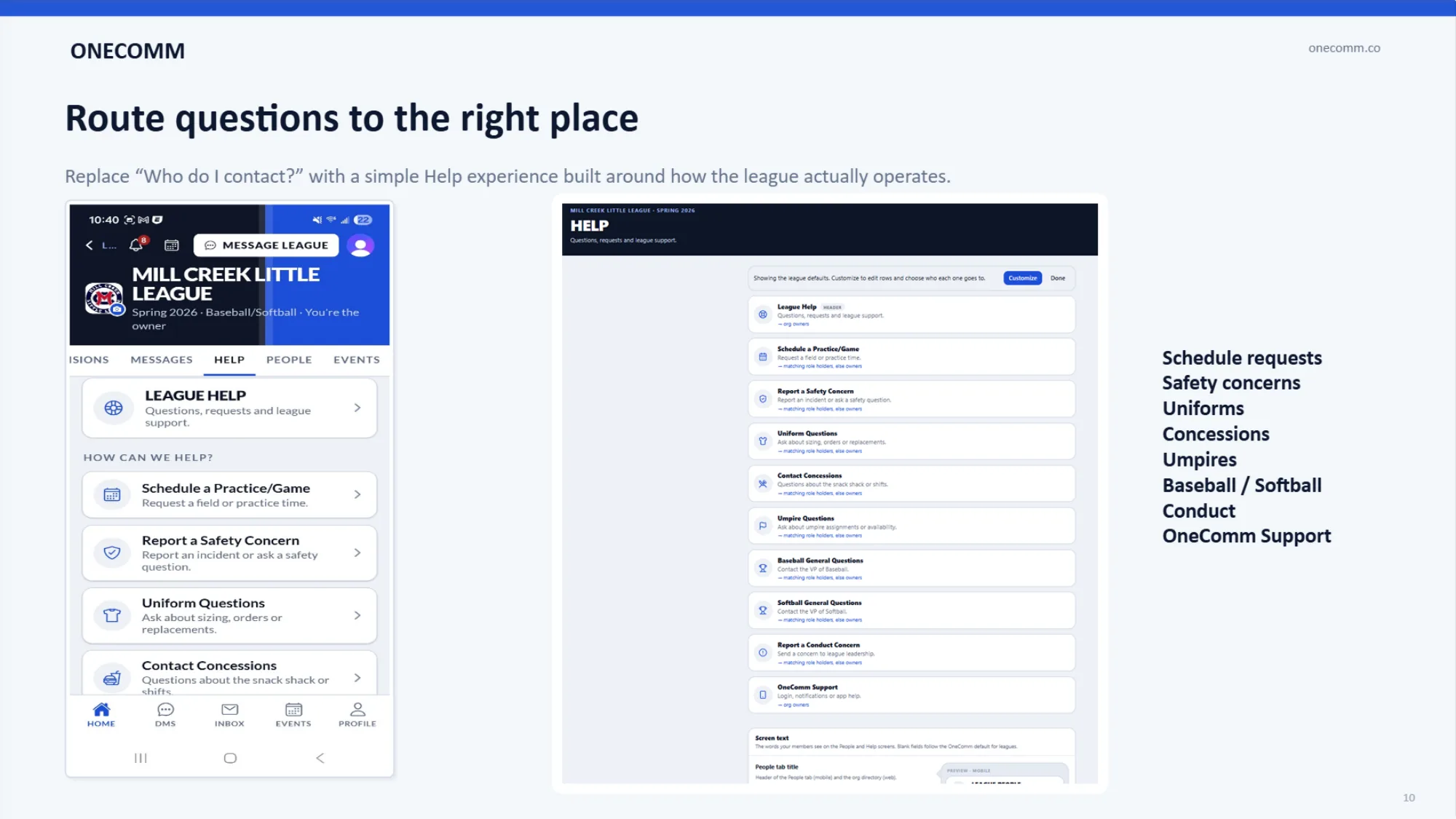
- 03A Help screen built around the board: each question type routed to the role that owns it.
What they use
OneComm at Mill Creek Little League
Master schedule
Field availability, open practice slots and games in one backend, synced to calendars and exportable for GameChanger.
Division workspaces
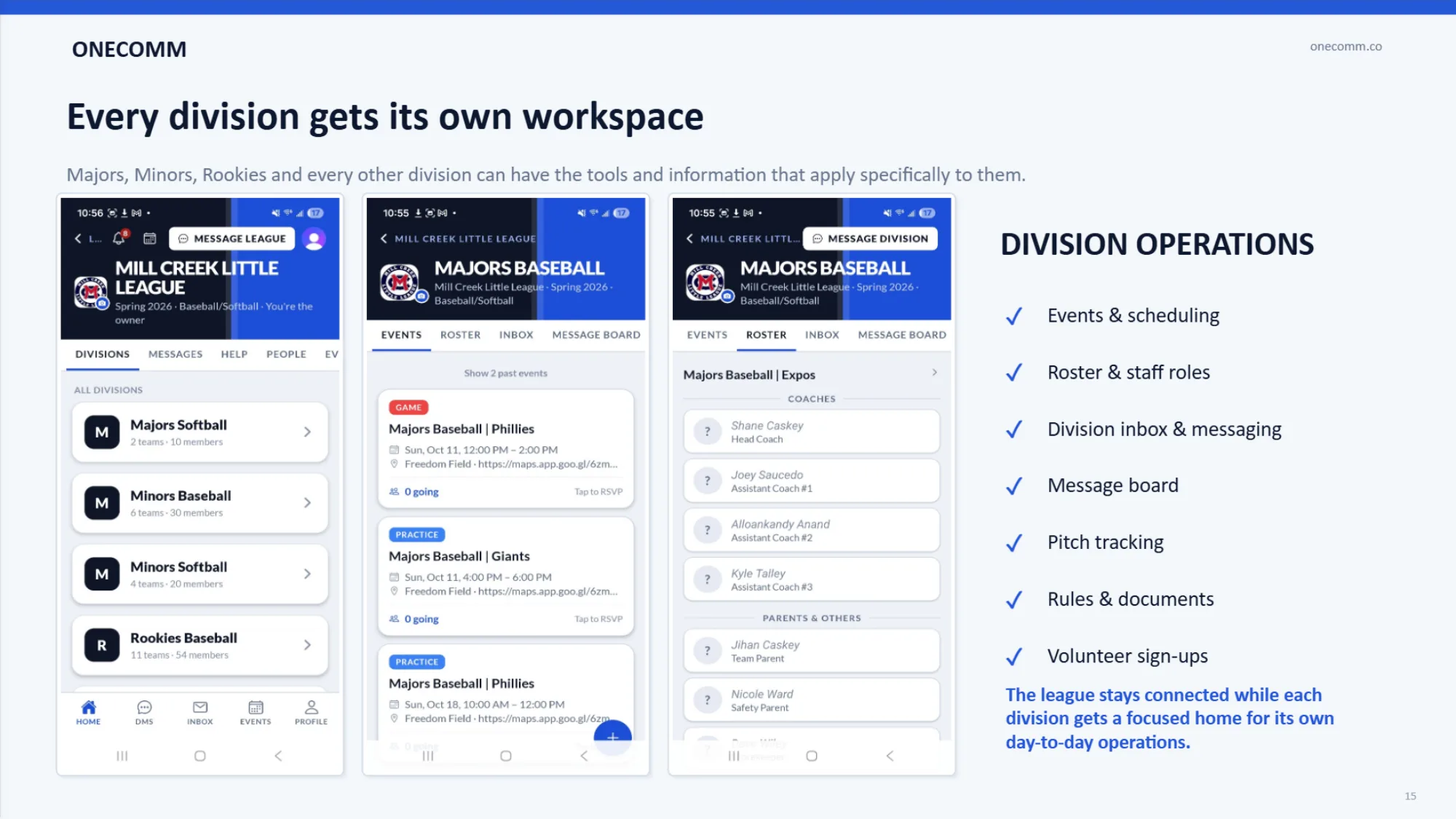
Majors, Minors, Rookies and the rest each get events, roster, inbox, message board, rules and a training center.
Help routing
Schedule requests, safety concerns, uniforms, concessions, umpires and conduct each go to the right person.
Coach tools
Pitch tracking with Little League rest rules, training videos and rulebooks where coaches already work.
Results
What changed
- One place for the whole league's schedule instead of per-division spreadsheets.
- Families and coaches find the right board member through Help instead of guessing.
- Every division started the season with its own board, roster and resources on day one.
Bring your league onto OneComm
Send us a note with your league's name and roughly how many teams you have. We'll walk you through the onboarding workbook.